Create External Schema for Glue Data Catalog
To query data from Glue Data Catalog through Redshift Spectrum, we need to create an external schema.
Schema for Processed Data
Since our goal is to query processed data, we create a schema pointing to the processed database.
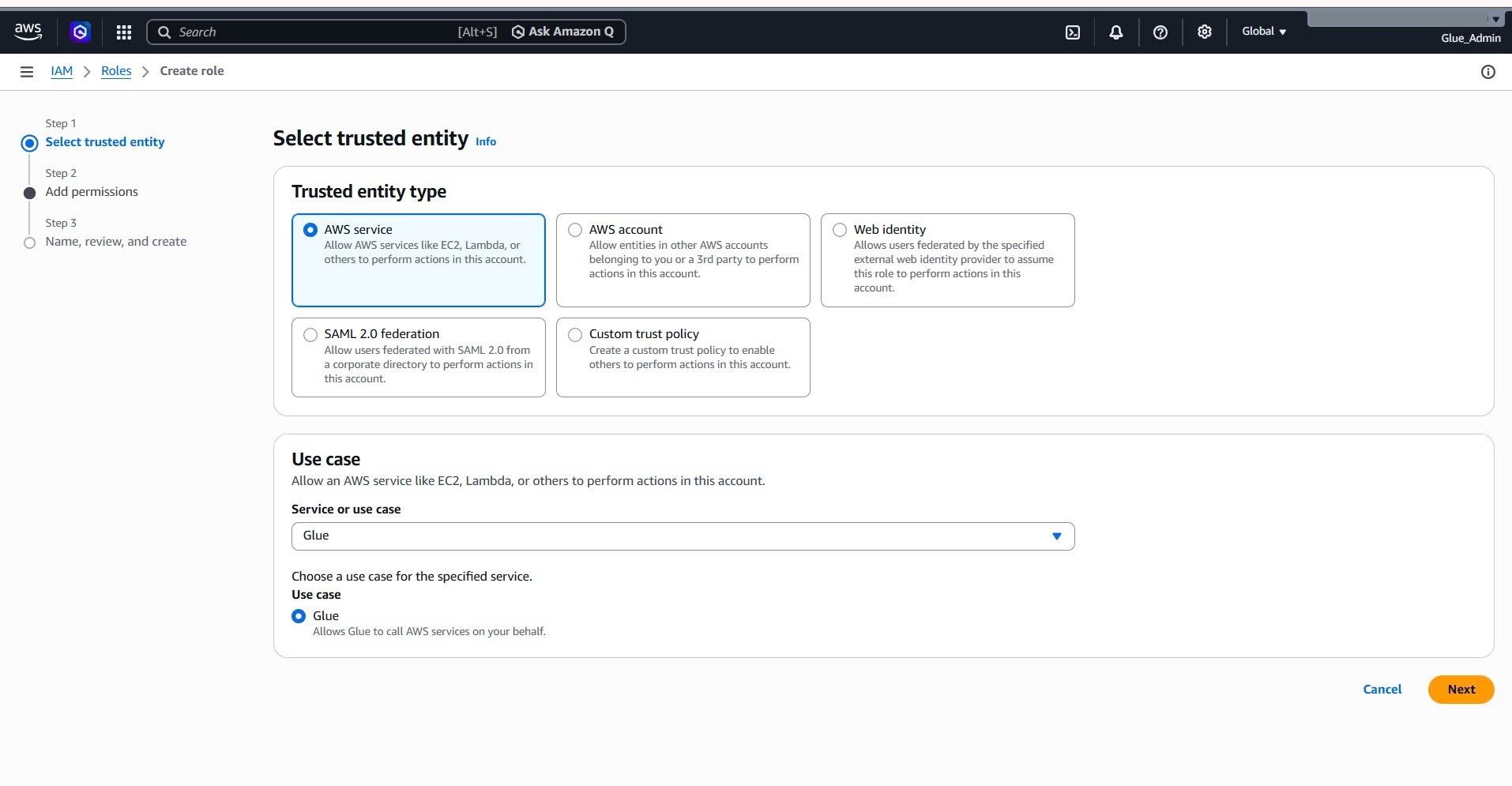
First, we need to create a Glue Crawler for the processed S3 bucket.
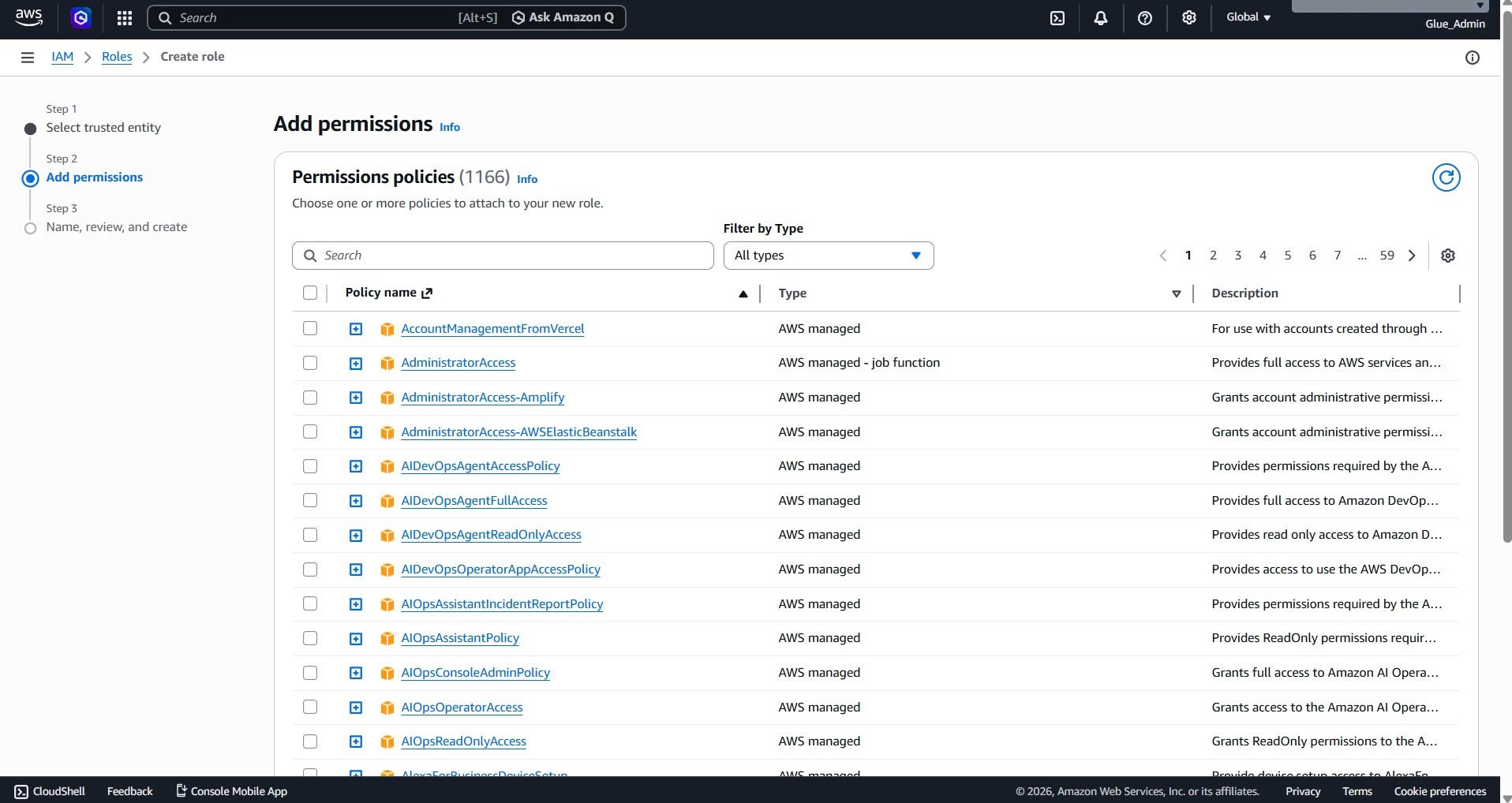
Create IAM Role for Crawler
- Go to IAM console
- Create role with trusted entity: Glue
- Attach policies: AWSGlueServiceRole, AmazonS3ReadOnlyAccess
- Role name: glue-role-manhattan-processed-crawler
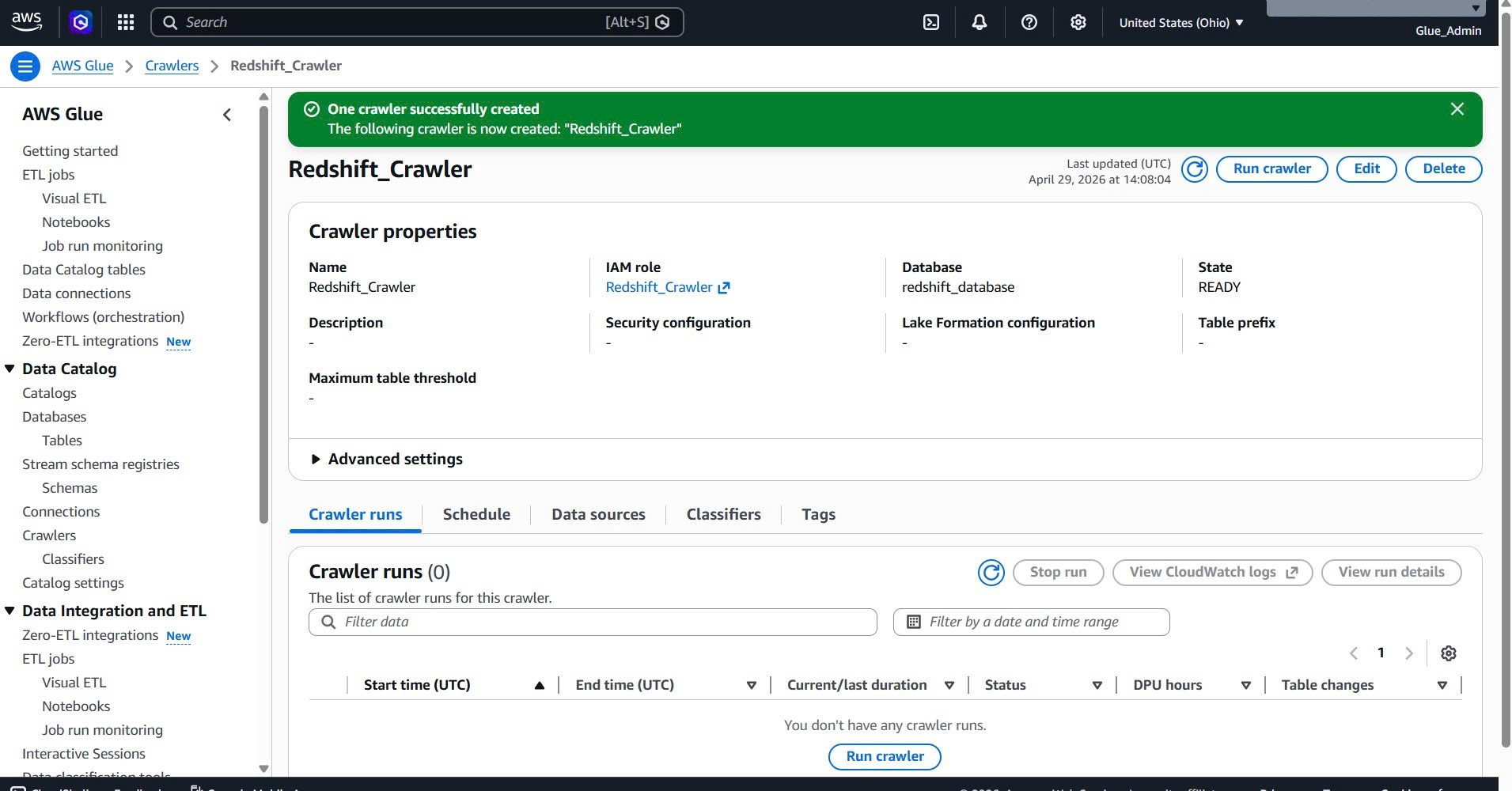
Create Glue Crawler
- Go to Glue console → Crawlers
- Create crawler:
- Name: glue-crawler-processed-yellow-taxi
- Data source: S3, path s3://processed-yellow-taxi-trip-data/
- IAM role: glue-role-manhattan-processed-crawler
- Target database: redshift_database (create new)
- Run crawler
Create External Schema in Redshift
CREATE EXTERNAL SCHEMA IF NOT EXISTS taxi_processed
FROM DATA CATALOG
DATABASE 'redshift_database'
IAM_ROLE 'arn:aws:iam::878796852481:role/service-role/AmazonRedshift-CommandsAccessRole-20260429T193922'
REGION 'us-east-2';
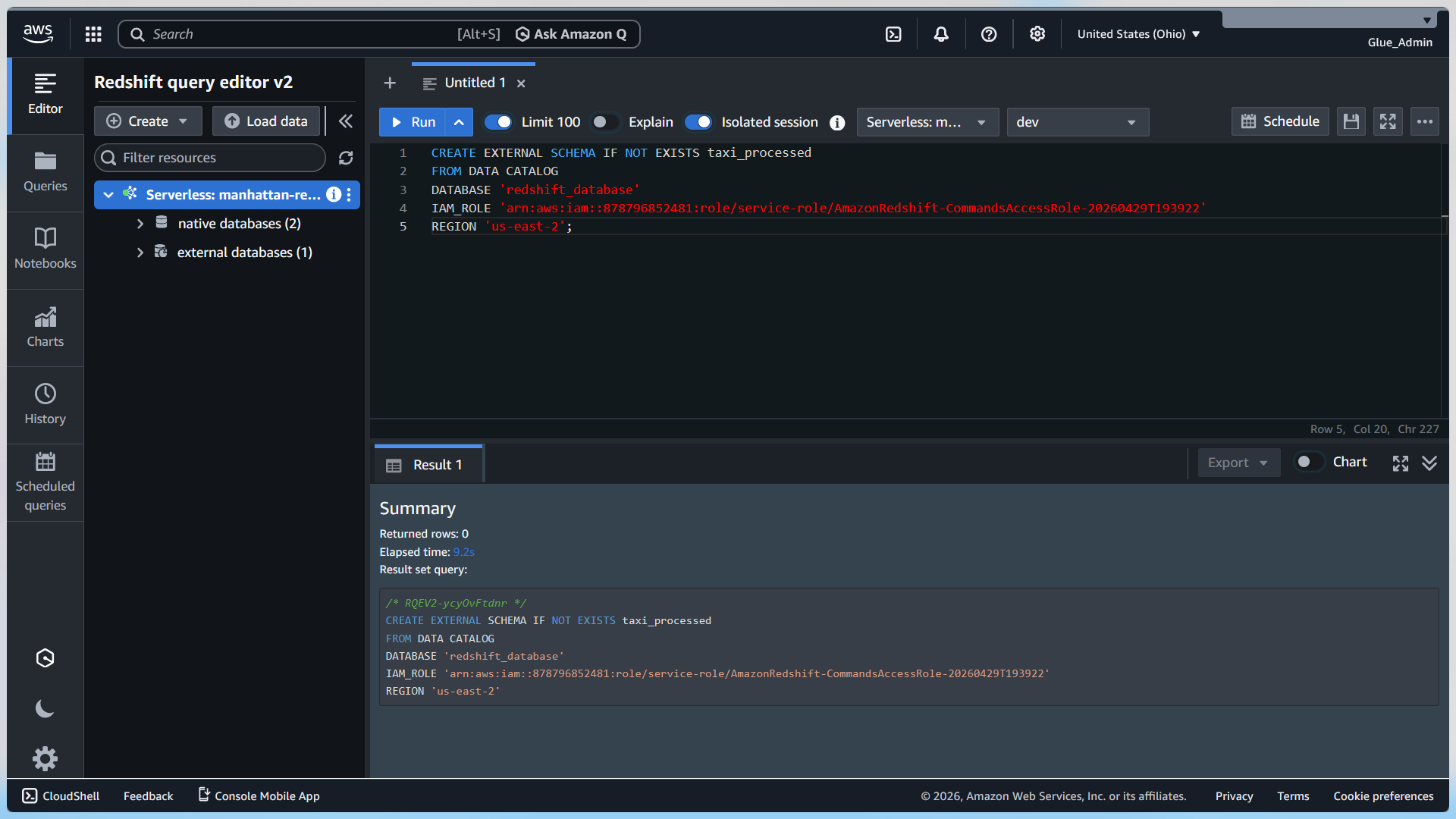
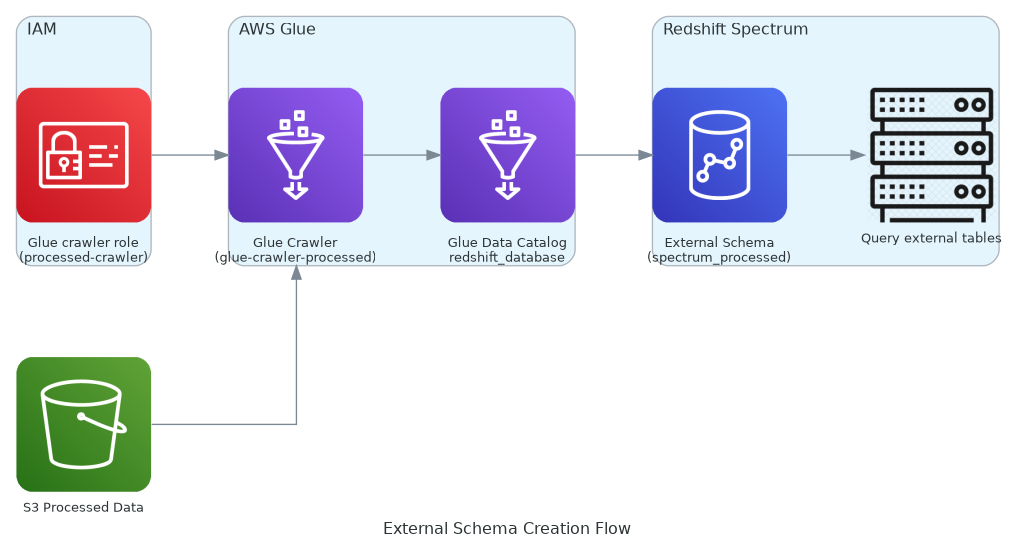
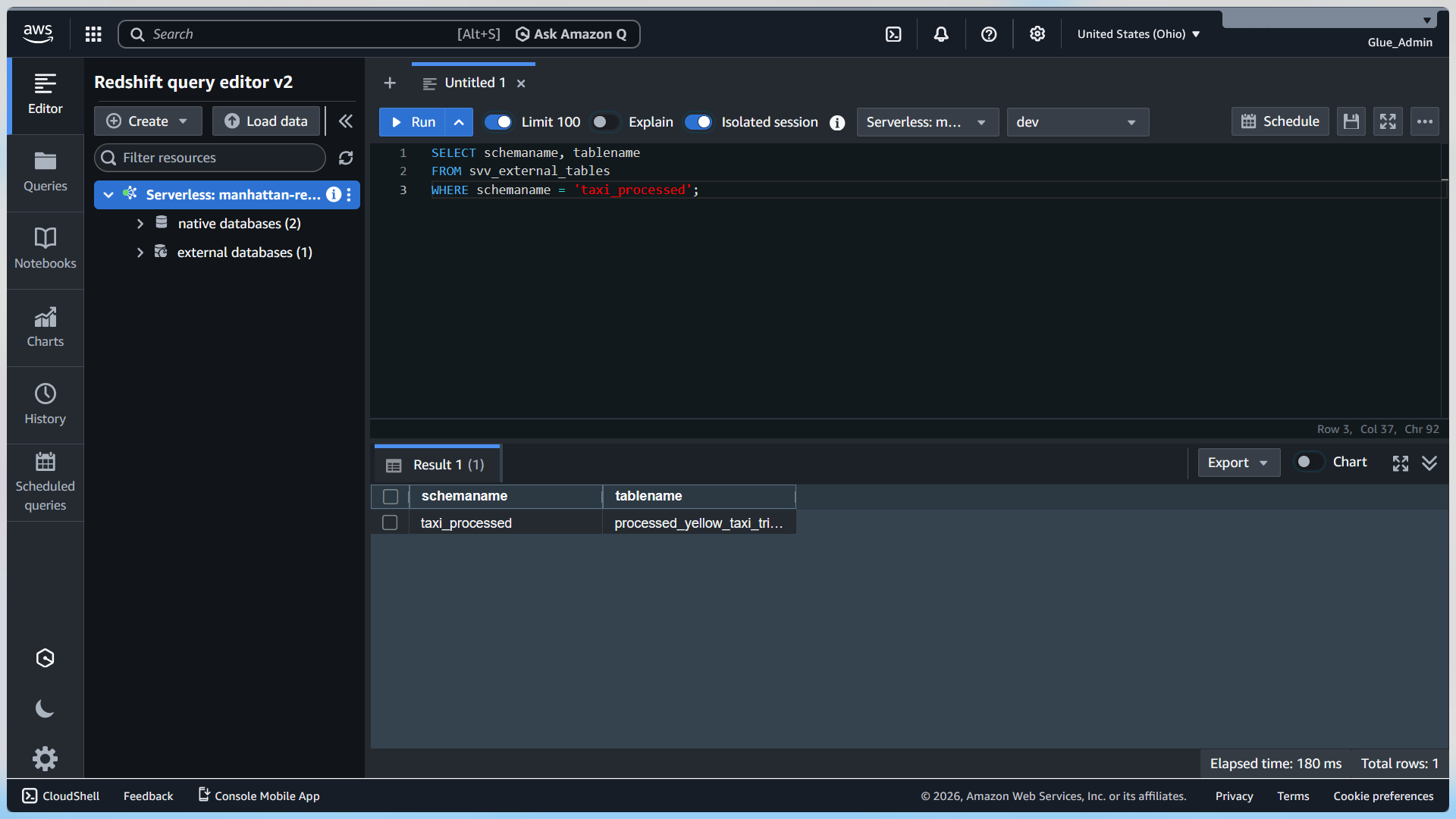
Check tables:
SELECT schemaname, tablename
FROM svv_external_tables
WHERE schemaname = 'taxi_processed';
Fix Duplicate Columns Error
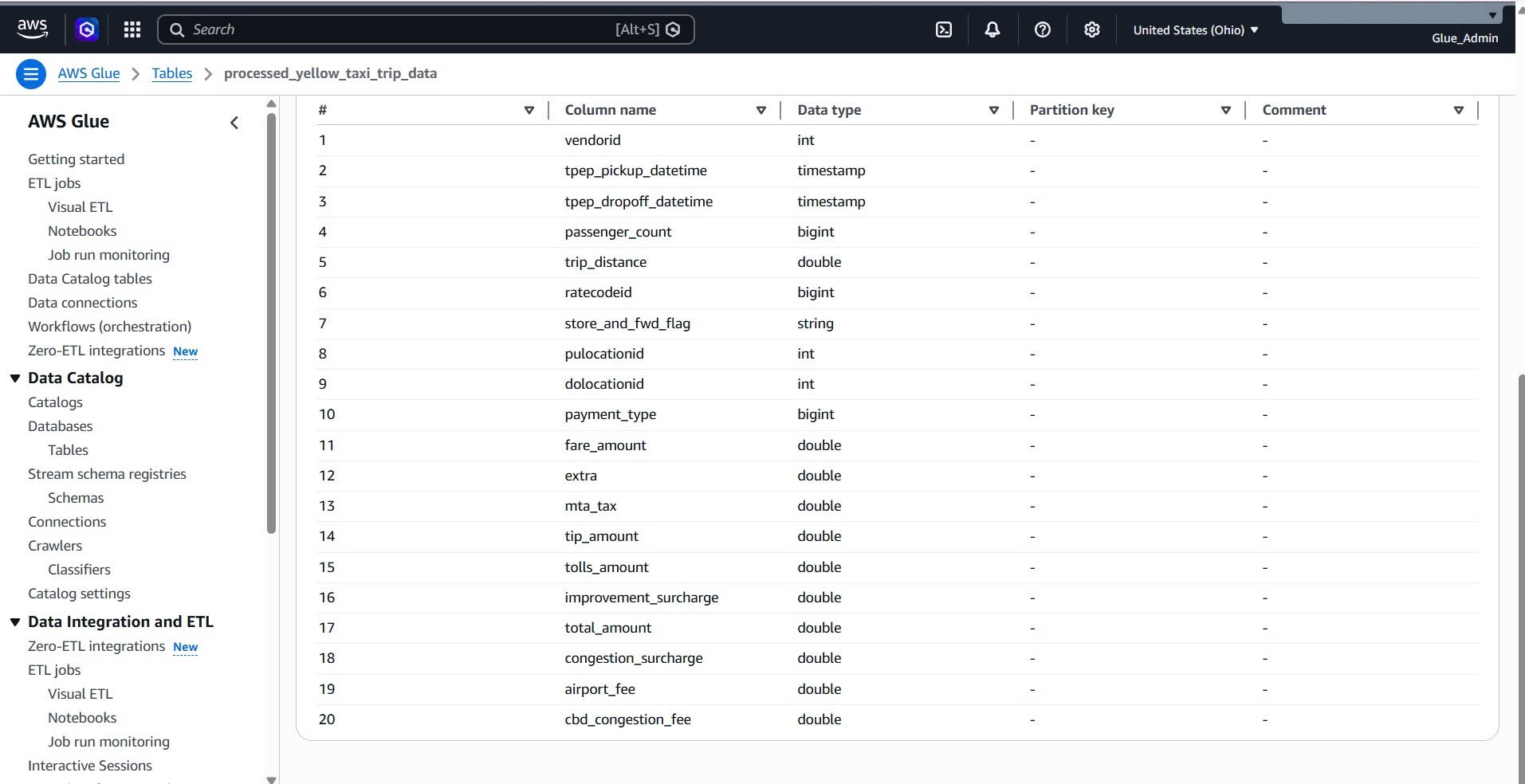
If you encounter “column year duplicated” error, fix the Glue table schema.
Go to Glue console → Tables → processed_yellow_taxi_trip_data → Edit schema
Remove year and month from normal columns, keep them in Partition keys.
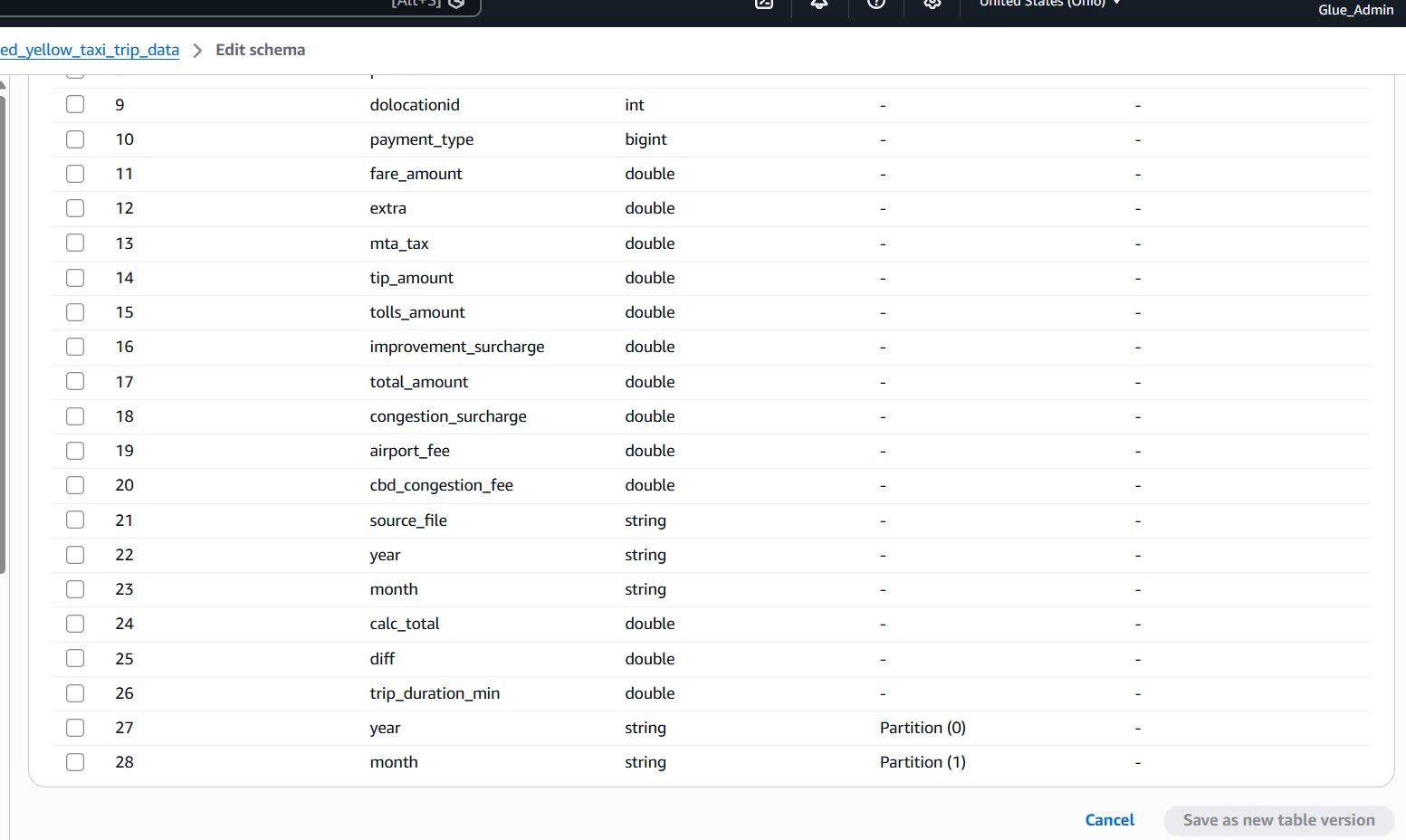
Then refresh Redshift metadata and query again.