Recover Missing Catalog
This page is optional. Use it only if the expected Glue database or table does not appear in Athena, or if the schema is incorrect.
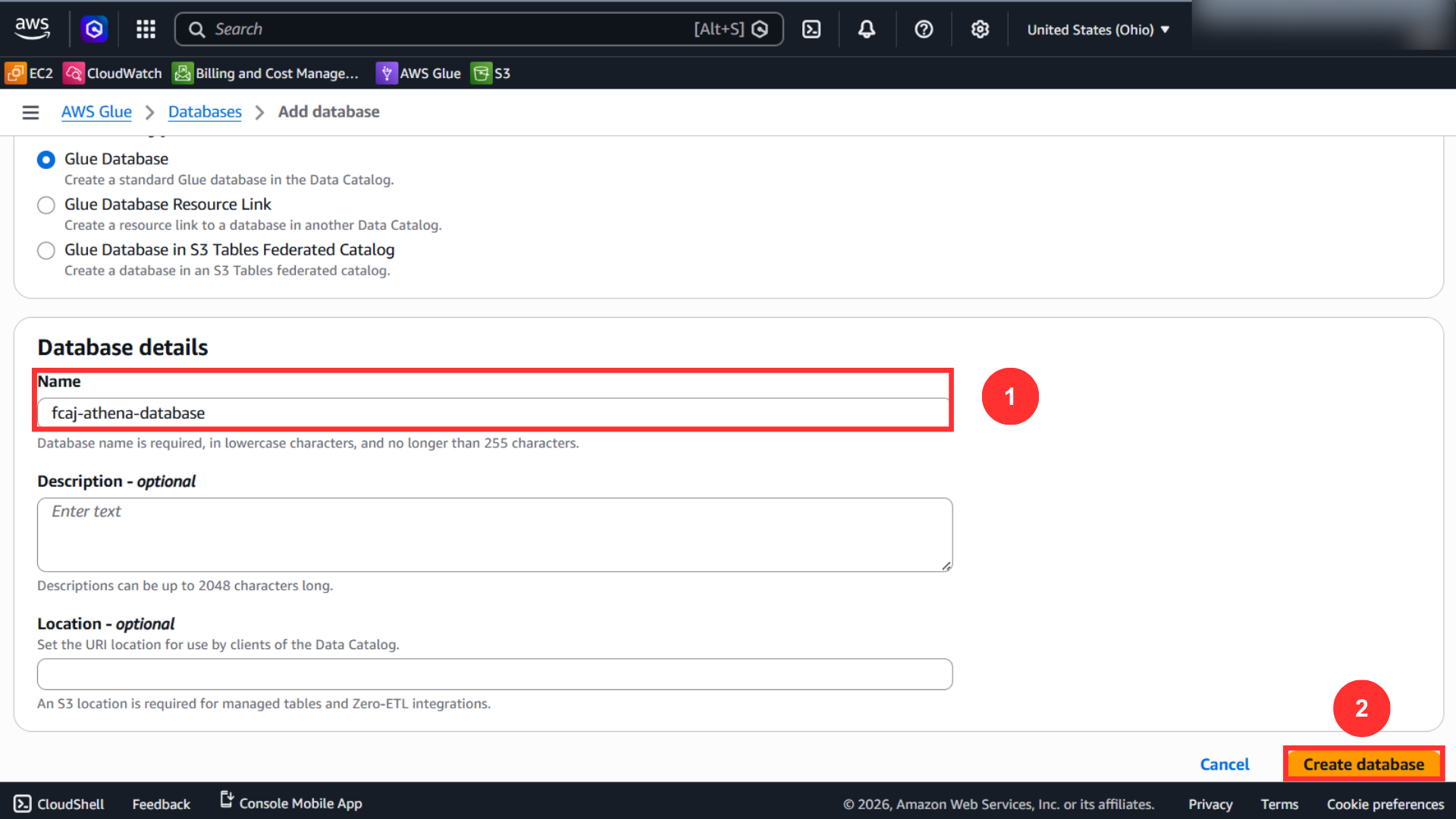
Recovery A: Create the Glue Database
If the workshop database does not exist yet, create it in AWS Glue.
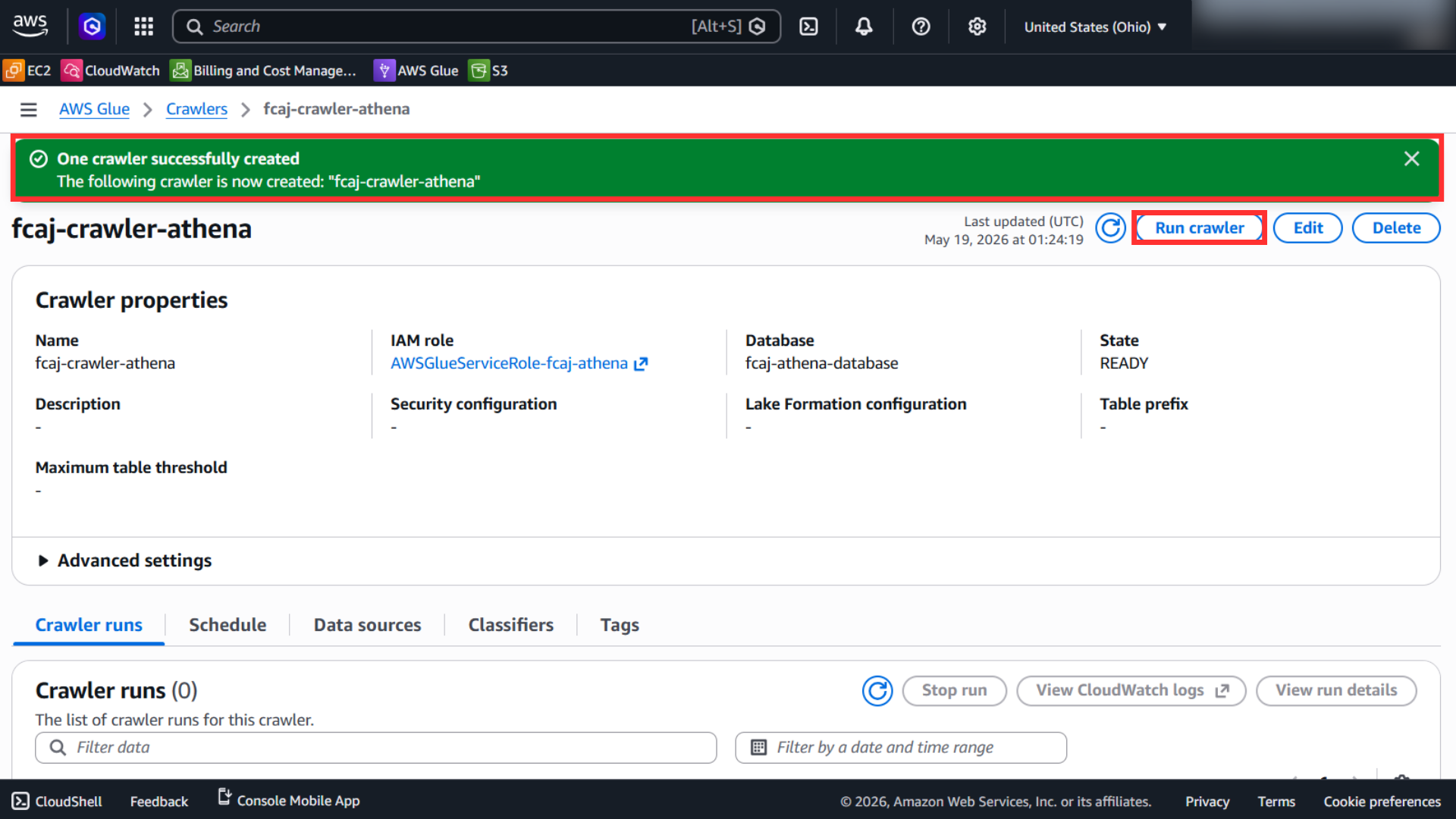
Recovery B: Run the Glue Crawler
If the table metadata is missing, run the crawler that scans the processed S3 location.
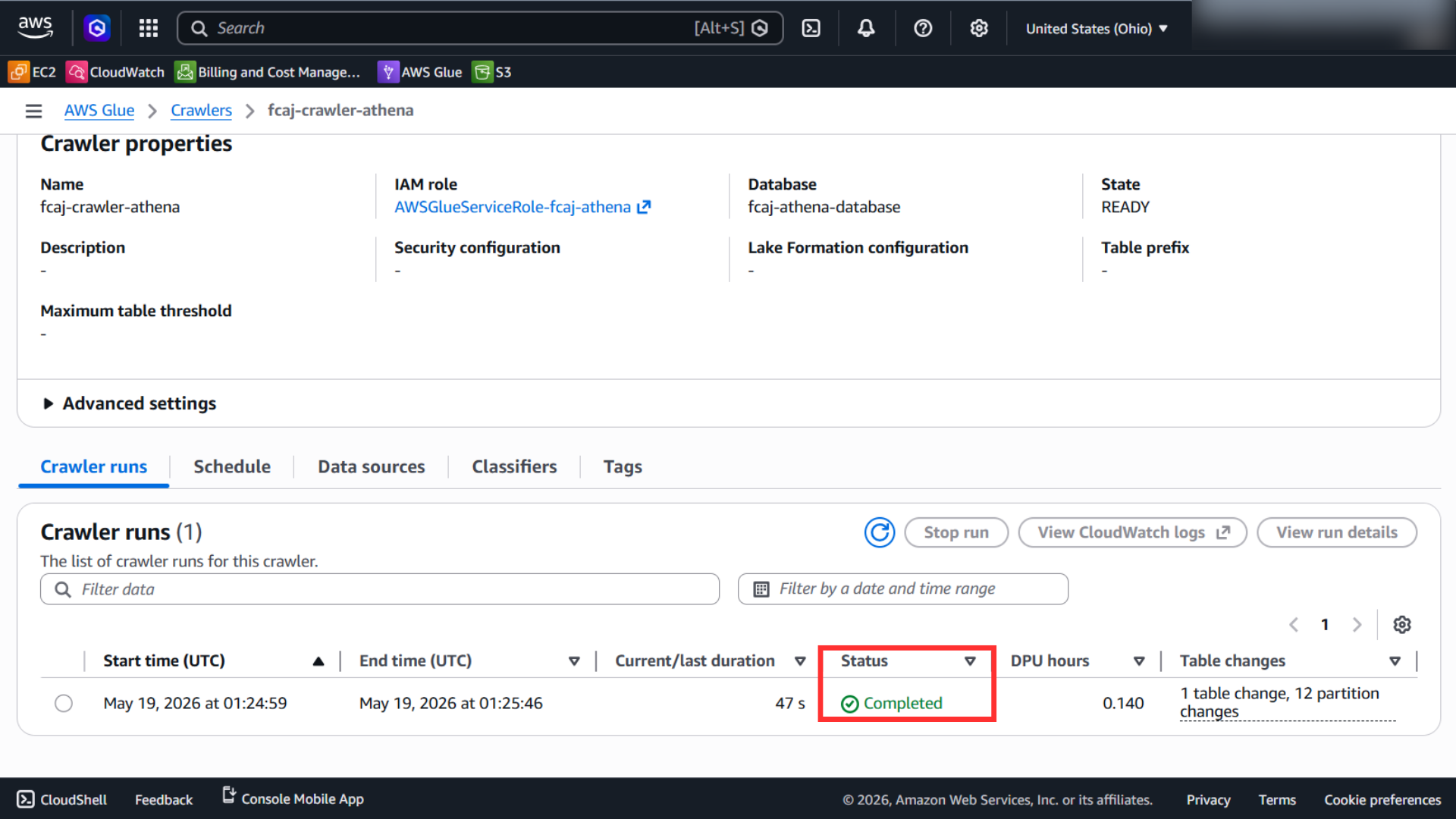
Wait until the crawler completes successfully.
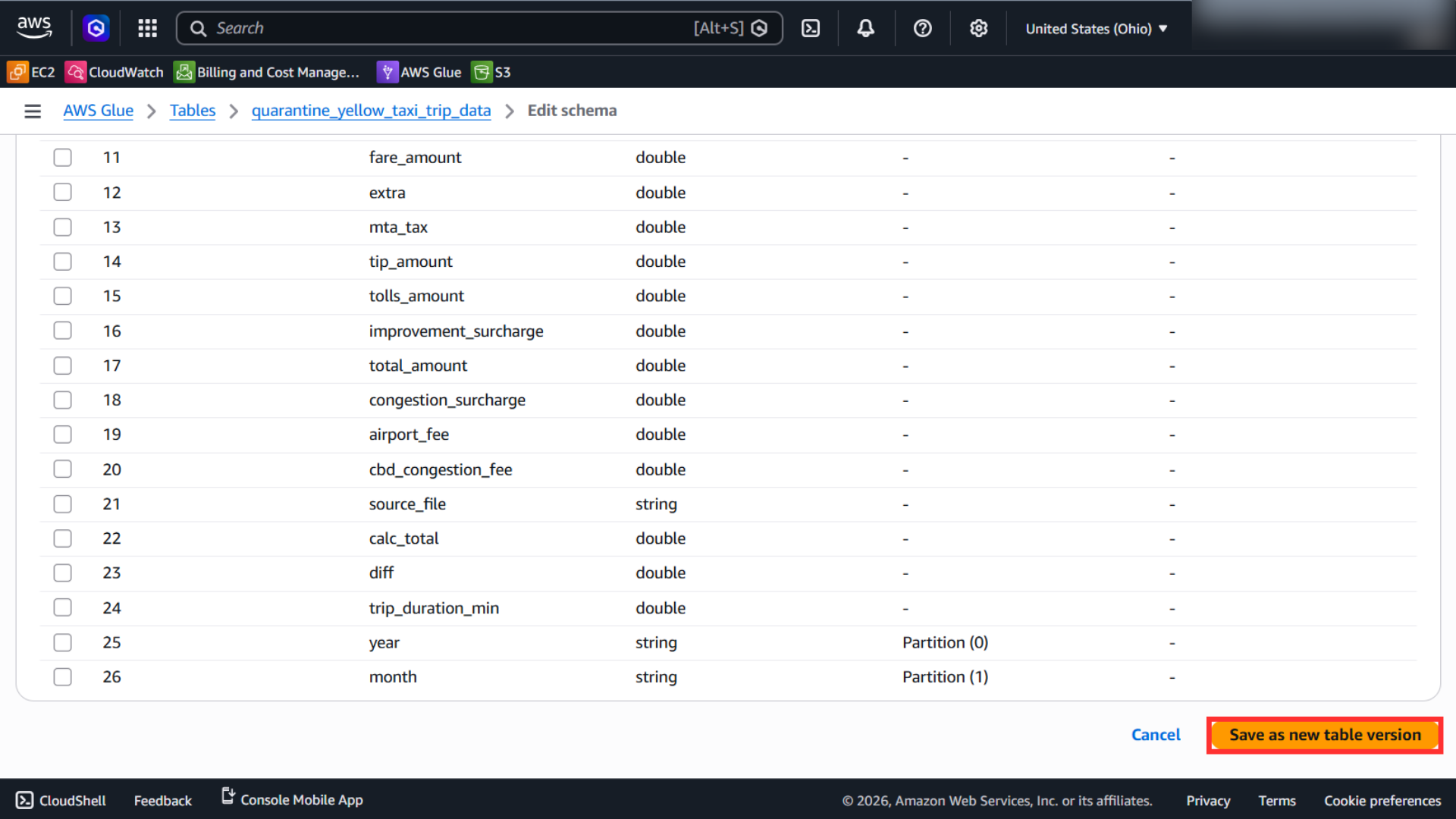
Recovery C: Review the Schema
If the table appears but the schema is inconsistent, open the Glue table definition and inspect the schema.
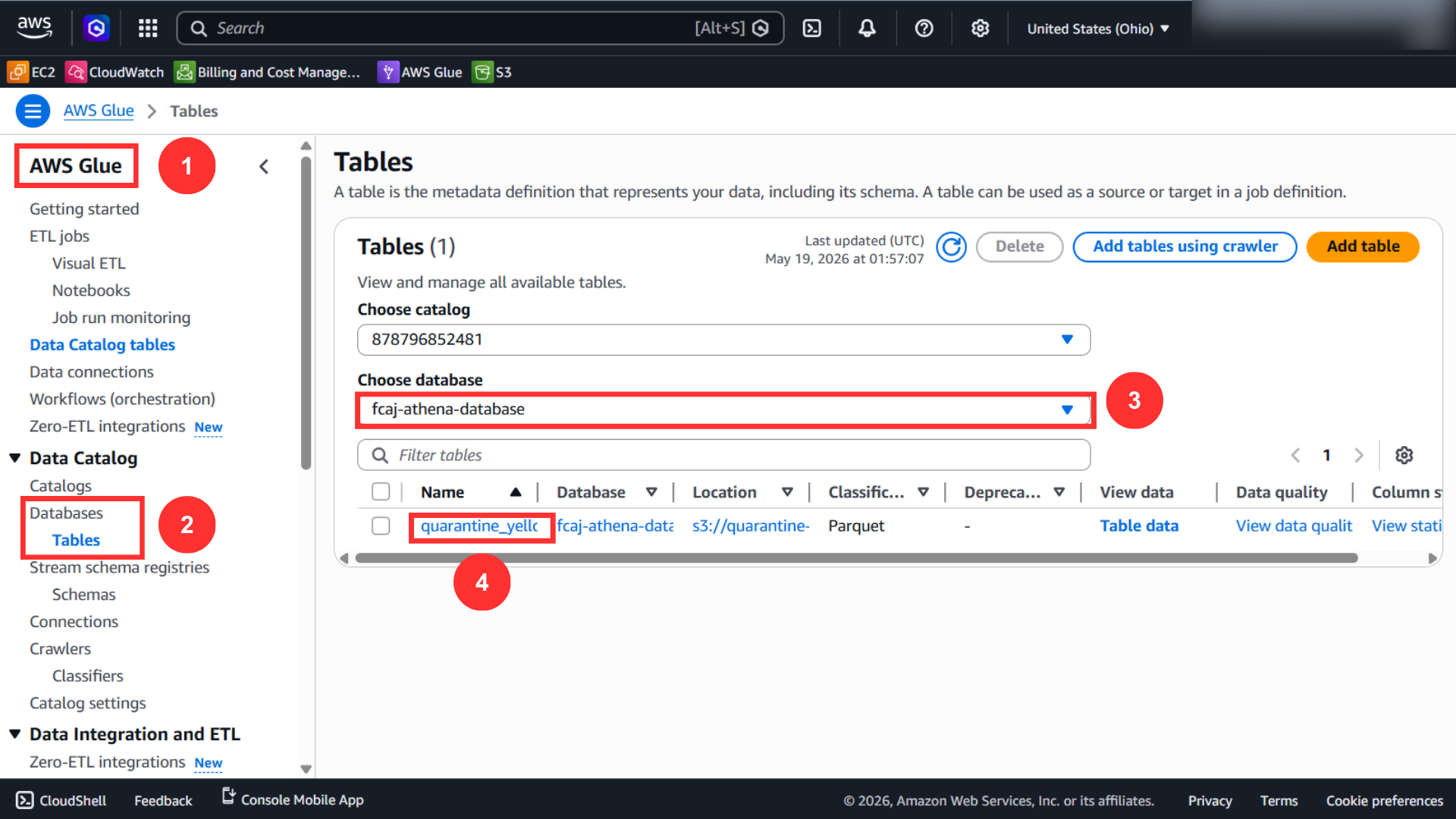
If you fix invalid or duplicated fields, save a new schema version.
Only apply this recovery flow when the normal Glue pipeline output is missing or incorrect.