Track your system with AWS CloudTrail.
AWS CloudTrail configuration steps
We will run a quick test to ensure your account is ready, then proceed with the AWS CloudTrail setup steps.
Step 1: Access the AWS Console
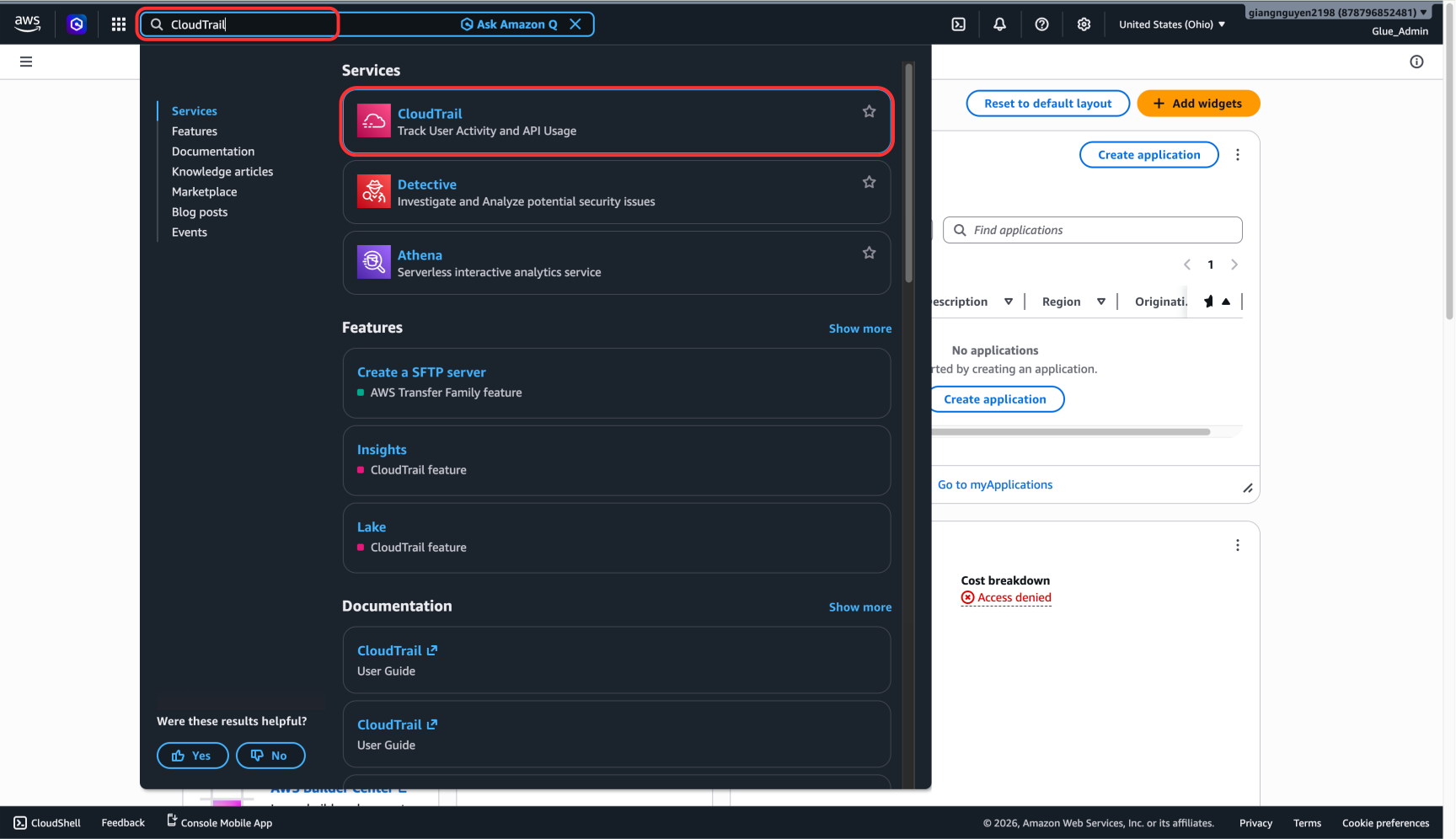
First, use the search bar to open the AWS CloudTrail Console.
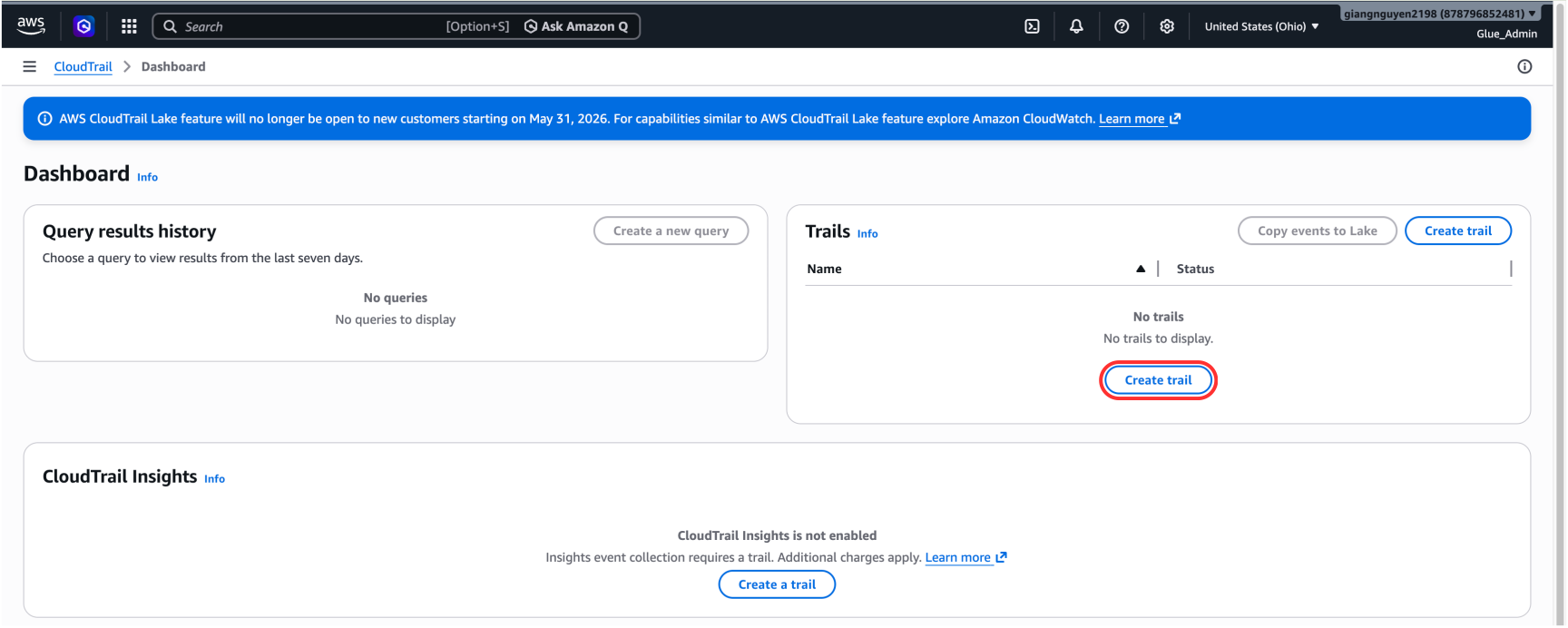
Click Create trail.
Choose Create trail -> not Create a trail (avoid confusing with Quick Create).
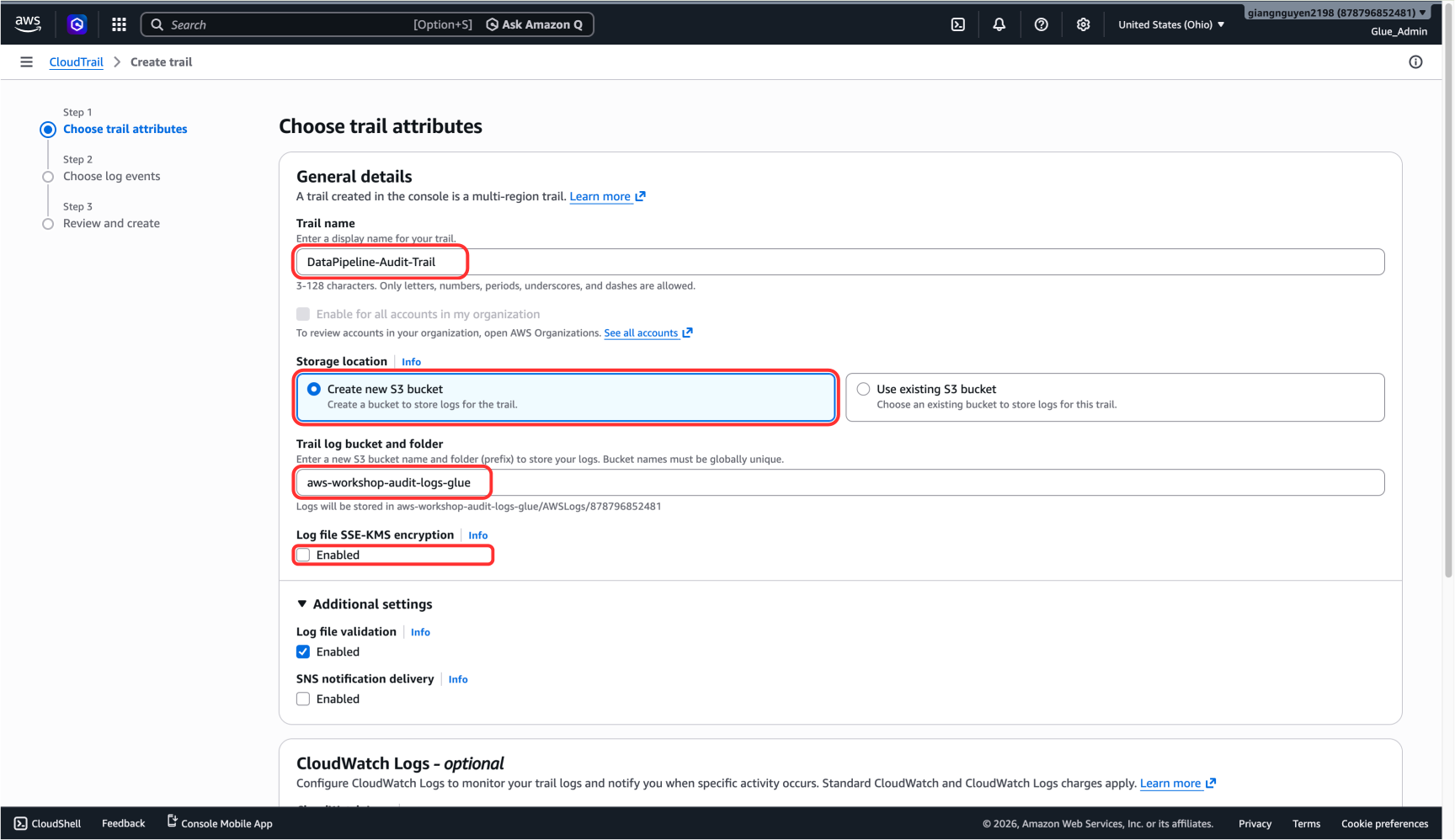
Step 2: Configure CloudTrail
- Trail name: Enter
DataPipeline-Audit-Trail. - Storage location: Select Create new S3 bucket.
- Trail log bucket and folder: Enter
aws-workshop-audit-logs-glue. - Log file SSE-KMS encryption: Disable (do not enable).
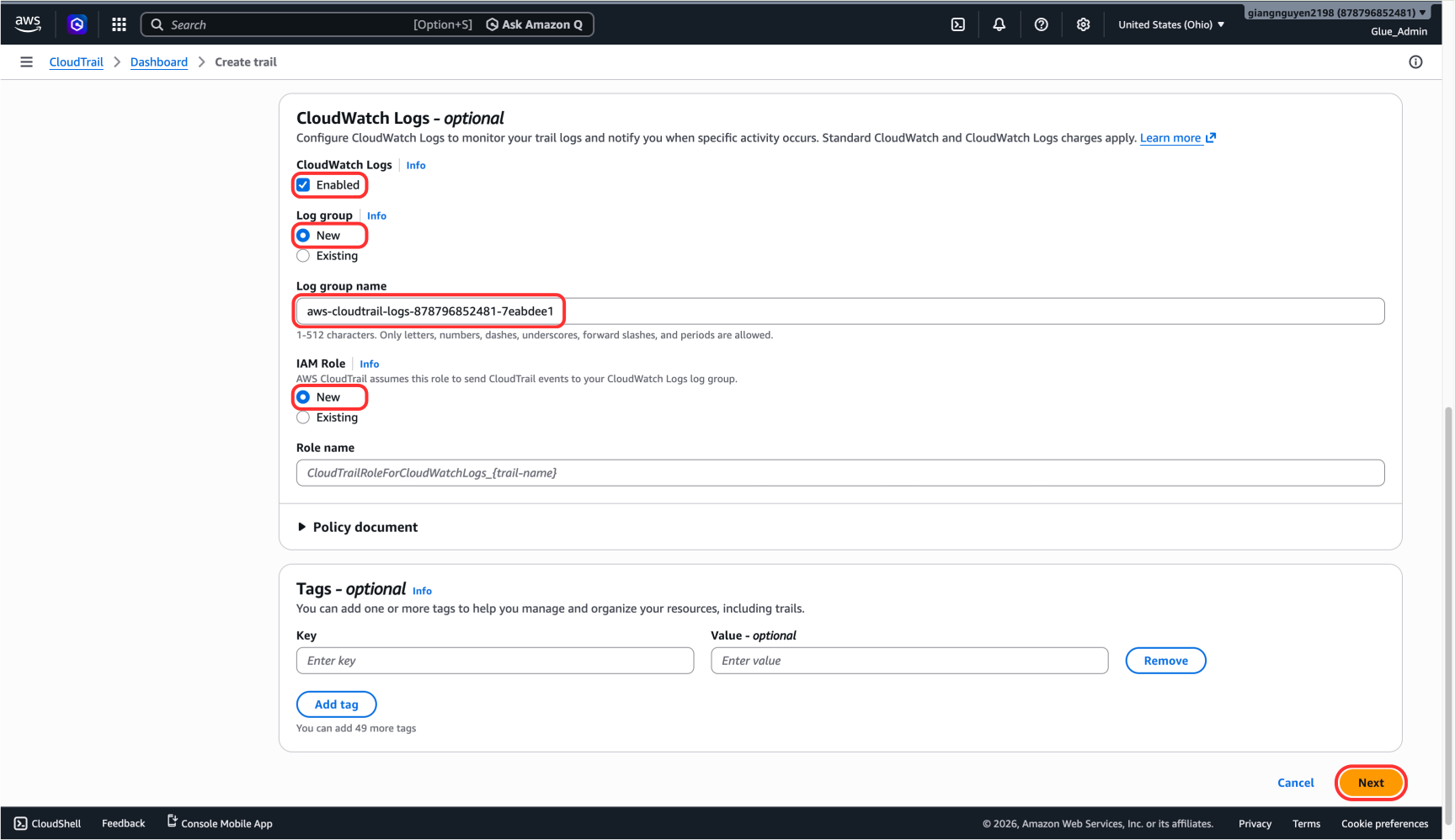
- Under CloudWatch Logs, check Enabled (this option sends logs to CloudWatch for easier querying).
- Log group: Leave the default name or set
DataPipeline/CloudTrail. - IAM Role: Choose New so AWS creates a role with write permissions for logs.
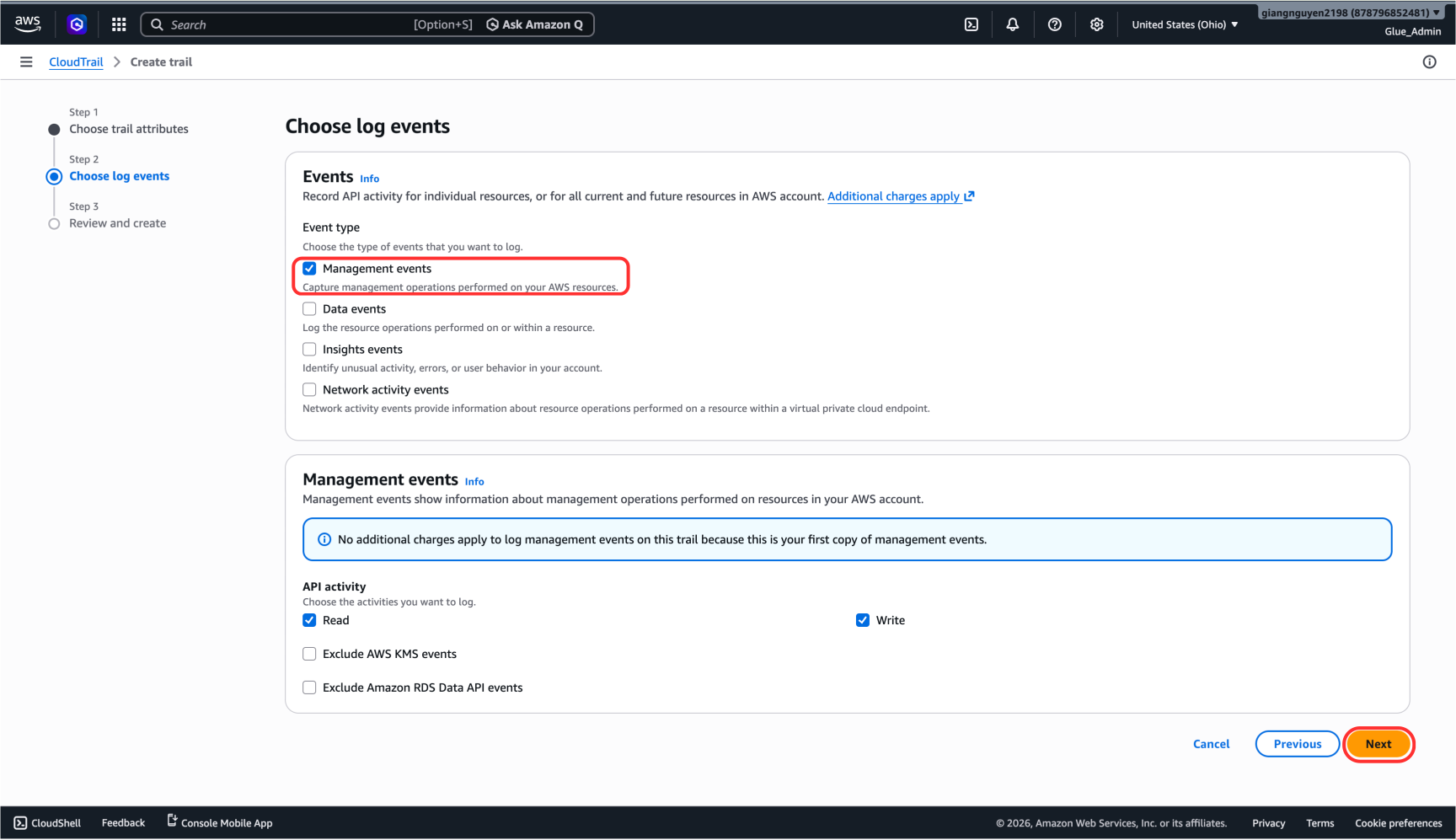
- Click Next.
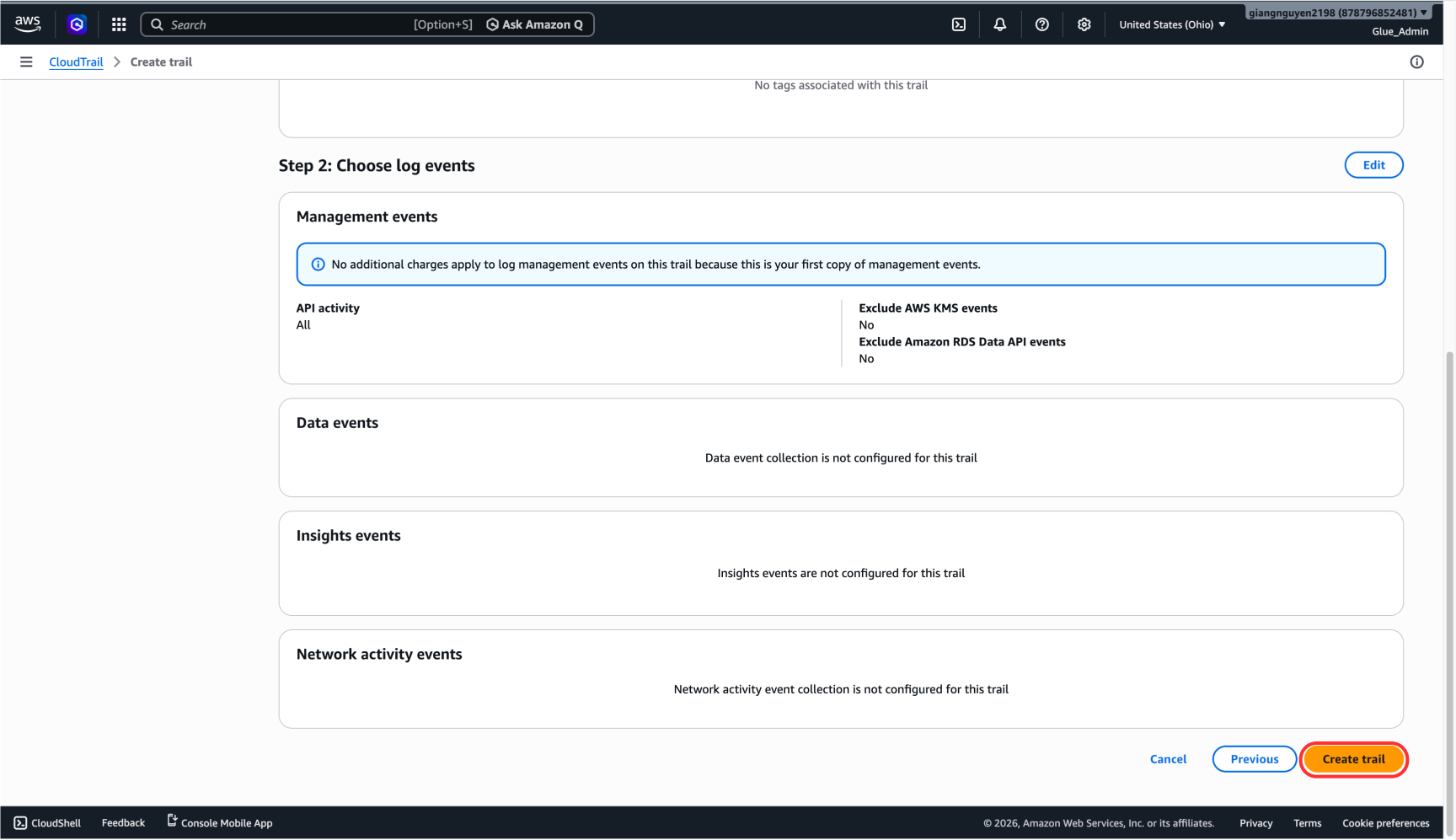
- Keep Management events logging enabled.
- Click Next again.
- Click Create trail.
- Verify the trail was created Successfully and that its Status shows Logging.
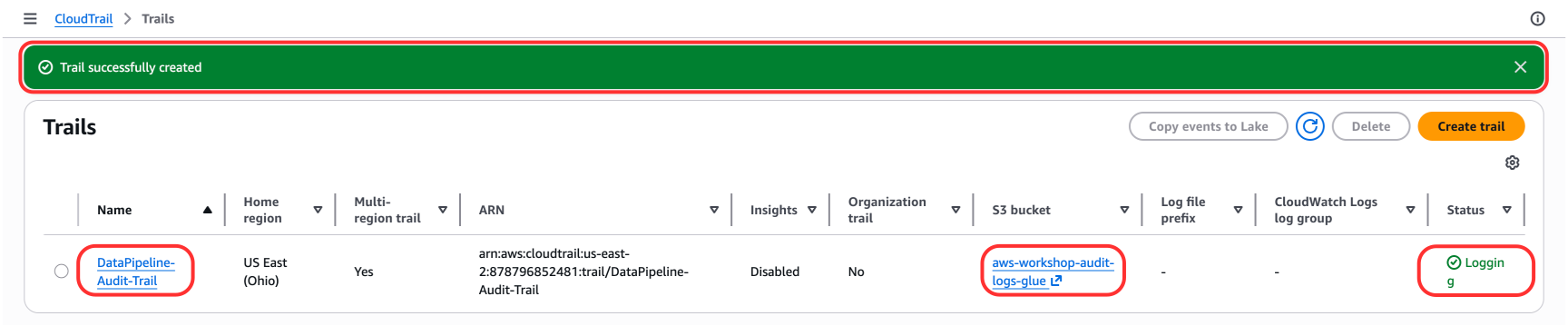
Congratulations — you have completed the AWS CloudTrail setup.